
Self-hosting Software
What do I self-host and why
I started self-hosting some of the software I use starting about 4 years ago. I’d like to provide a bit of retrospective on what I’ve chosen to keep and why.
Nextcloud
If I had to pick only one thing to run, it would probably be Nextcloud. Its an extremely versatile piece of software that aims to be a replacement of something like the Google Suite of tools (Google Docs, Google Drive, etc.).
What do I use Nextcloud for?
Storage
You can store files just as you would on Google Drive. Another nice feature is that if you want other people to upload into your folders but now view the contents, you can configure folders to be upload only.
Photo Sharing
The Memories app provides a nice shareable gallery. Its been particular useful for sharing photos.

News
Using the RSS app, I can login from my phone or anywhere and get a synced version of what articles I have read

Music
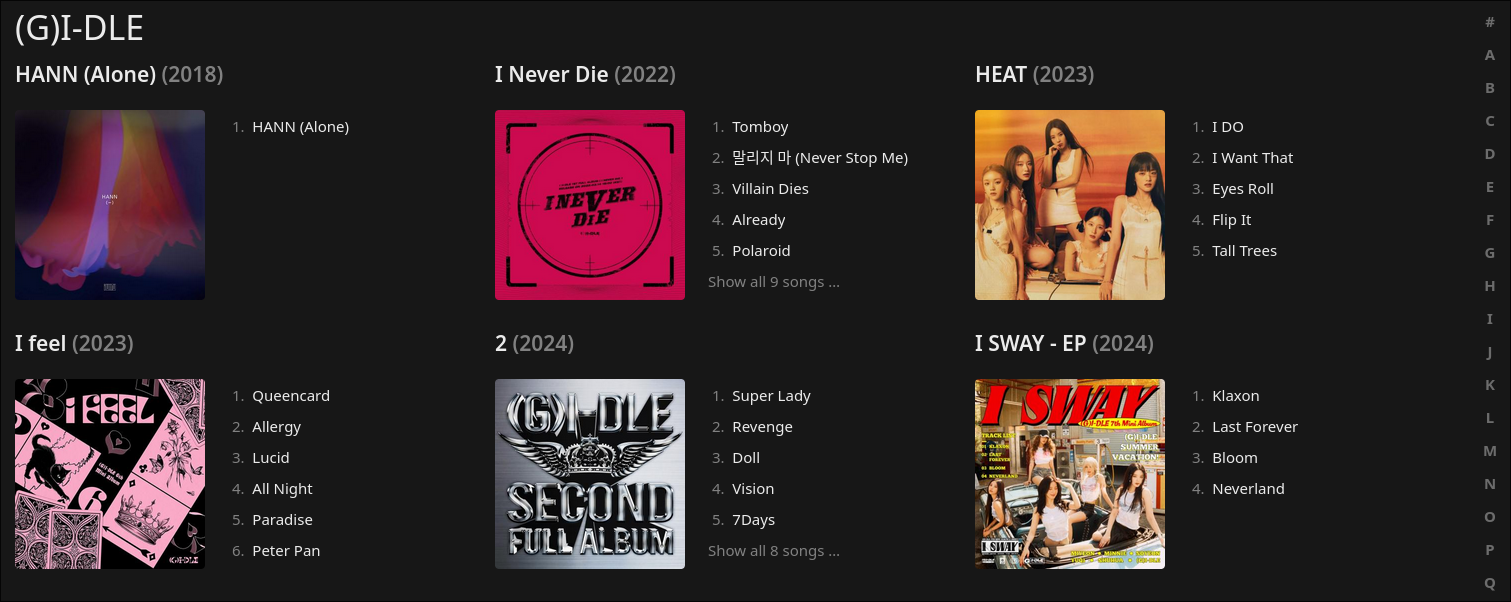
The Music app allows you to upload your own music files and serve them over the Subsonic API, meaning you can use any music client which supports it. If you keep a local music library, then this is a game changer since you can access your lossless audio files from your phone via streaming.
Bookmarks
Fairly self explanatory. Useful to have this for syncing bookmarks across a variety of devices. The app on Nextcloud also tracks broken links, as well as keeps a daily backup in an exportable XML format.
Cost
I decided to use Hetzner’s “Storage Share” service for this, which is effectively a managed Nextcloud instance. My main reason for this is the cost, it comes out to 4.29 Euros per month ($4.99 USD) for 1 TB of storage and unlimited bandwidth.
With the current rising digital storage costs, this is ridiculously good value considering 1 TB of S3 storage on Backblaze now costs $6.95 USD/TB of storage. The alternative option would be to opt for Hetzner’s “Storage Box” service which is 3.20 Euros per month, but this would also mean you would need a machine to run Nextcloud itself (as well as handle uploading to the storage box) which I don’t have.
The only downside I’ve found to using “Storage Share” is that certain use cases are not available due to being too compute heavy. For example, ffmpeg is required to get video thumbnails in the Memories app, but this is something that Hetzner does not support. But for the cost, its something I’m willing to overlook.
Matrix
Matrix is a protocol for secure online messaging. Since its a protocol this means to make use of it you’ll need to run a Server and Clients that implement it. For this, I’ve opted to run Synapse as the server, since it has the most support across the Matrix protocol, and Element for much the same reasons.

Since Matrix is a federated protocol, this means that you’re not limited to just messaging people on the same server. Any account on the Matrix network belongs to “Homeserver”, which is the server that stores your personal account information. When you message someone on a different homeserver, the homeserver your account belongs to will communicate with the homeserver of the other account to ensure that messages are delivered.
If this is confusing, this federation process is analogous to E-mail. In E-mail its common sense that users registered on “Gmail” are able to send messages to users on “Outlook”. Even though these are 2 accounts on different providers, both implement the same protocol and are therefore able to federate and connect with each other.
Matrix also has native voice/video conferencing support, but I will just focus on the text-based stuff for now
Why Matrix?
I started being a lot more active on Matrix after the whole Discord age verification debacle, I think its far easier to see why Matrix is what I ended up going with after looking at some of the alternatives.
- Discord: This is quite literately what I’m trying to move away from
- IRC: Far too many limitations in terms of media support and rich text. No call support
- Fluxer: Limited support/docs for Fluxer self-hosting (although it looks promising)
- Stoat: Using the app with a self-hosted instance requires you to recompile the app due to hardcoding
- XMPP: Federated, but much better for 1-1 messaging, clients are more technical, ephemeral messages by default sorta confusing for new people
- Zulip: Its good, but not really for a social platform, much better for internal organization communication
Matrix has all the core features of Discord, and for the most part its easy to get people going on.
My Usecase
I run a largely personal homeserver, I have a few spaces for friends who have also migrated. This is nice since we don’t need to pay for “Nitro” to just send large files/images or send long messages.
The downsides is that there are quite a number of things I don’t like about the Matrix protocol.
- E2EE can be quite finnicky when setting up a new device since you need to transfer keys over, the ease of use of doing this greatly varies between clients.
- Rather than “sending messages”, Matrix homeservers sync chat history with each other which results in homeservers storing full copies of the same chat history. This takes considerable compute making it not particularly lightweight
I run this on a VPS which I shall refer to as “VPS A” henceforth, for the sake of beverity. Its a Hetzner CX11 (2 vCPU, 2 GB) for $5.99 Euros a month.
Teamspeak 6/VoIP
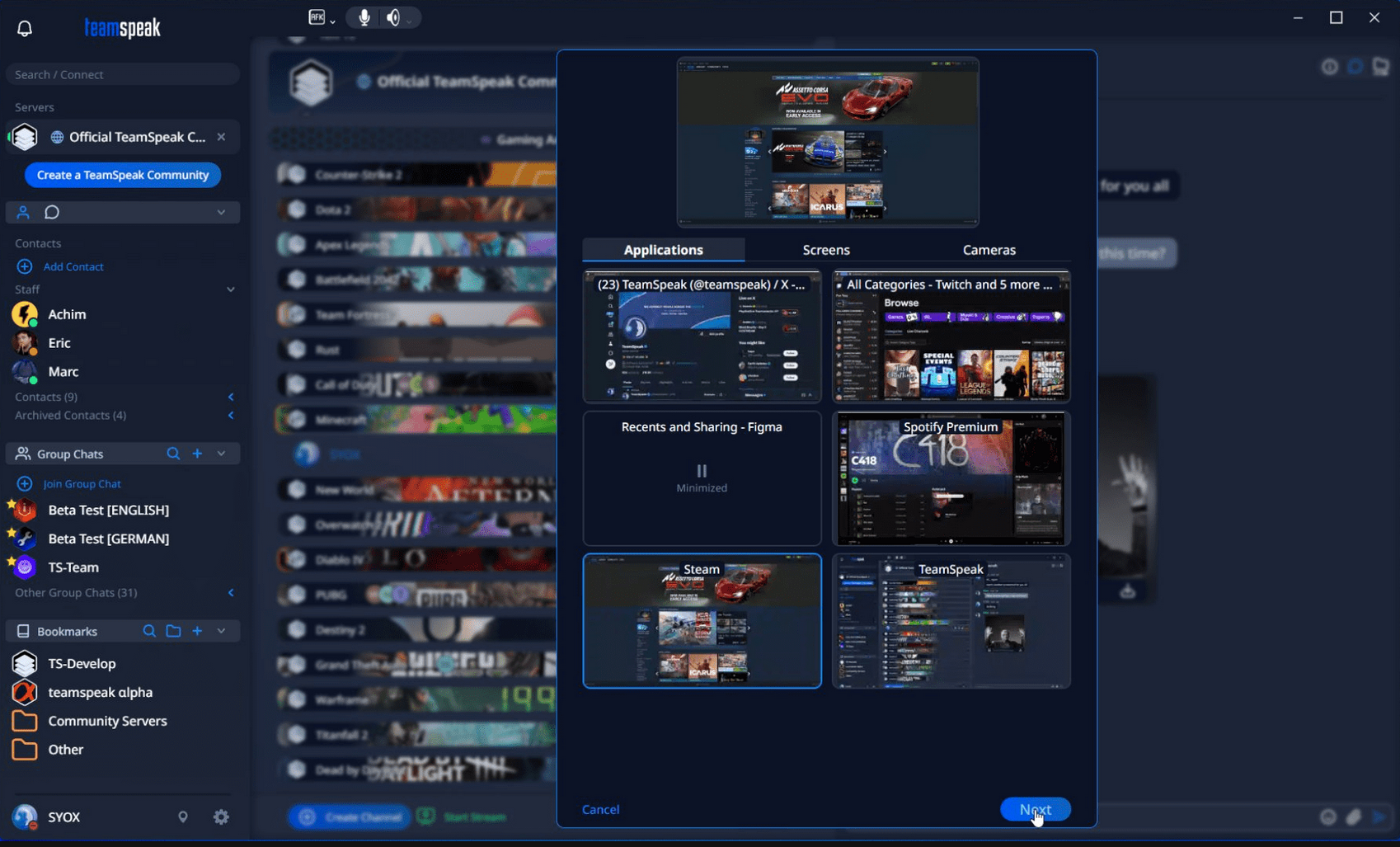
Before you say something about running proprietary software, just hear me out. In my opinion, a good Discord alternative for VoIP needs at a minimum: drop-in/out voice channels, some form of chat, and screen sharing. This also runs on VPS A, since its quite lightweight and only needs an SQLite DB for persistence.
Why Teamspeak 6
Fluxer and Stoat were both options for this but considering the problems with self-hosting them even as standalone chat apps made me have second thoughts about hosting it for voice.
This really left 2 main options on the table: Teamspeak or Mumble. While Mumble is the FOSS option, there is no screen-sharing which is a big turn-off. With all things considered, Teamspeak is the easiest option to onboard people, they have a monetization stream that doesn’t involve selling data, and its a relatively lightweight piece of software to self host (as well as being battle-tested over all these years).
The downsides is that Teamspeak follows a different paradigm compared to something like Discord.
- A “server” is meant largely for voice communications, you cannot view the text channels without joining/connecting to voice. Similarly, messages are ephemeral, meaning that if you weren’t there for a message then you’ll never see it.
- A “group chat” is what’s used for persistent messages, this is more similar to Discord group chats, except there is no limit on the number of people who can join (mostly)
- No mobile app for group chats (but there is a workaround, see below), and a paid app is needed for voice chat (its oriented towards the older Teamspeak 3 server but they’re compatible for the most part)
Teamspeak 6 is built on Matrix (for messaging)
Group chats use the same technology as Matrix for the most part. In fact, each Teamspeak 6 account is actually just a Matrix account running on Synapse. This means that Teamspeak 6 users can join Matrix chat rooms. In fact, you can extract the Matrix credentials from your Teamspeak 6 account.
However, there are a number of differences between the two platforms. For one, Teamspeak is using a custom protocol/format for things like sent media and mentions, meaning that a lot of things don’t really function right. Teamspeak is also running a very outdated version of Synapse so not all of the new features of Matrix are available. (Encryption also does not work right)
Mobile App
To work around this, I created a group chat on my Matrix homeserver that everyone on TeamSpeak can join. Likewise, anyone who wants to create a Matrix account and participate directly is welcome to do so. This serves as a partial workaround for TeamSpeak’s weak mobile app support, since Matrix provides reliable mobile notifications for messages on the go. That said, only plain text messaging has proven to be stable (as mentioned previously).
Syncplay + SyncTube
These are for watch parties. Both of these run on VPS A and are very lightweight.
Syncplay
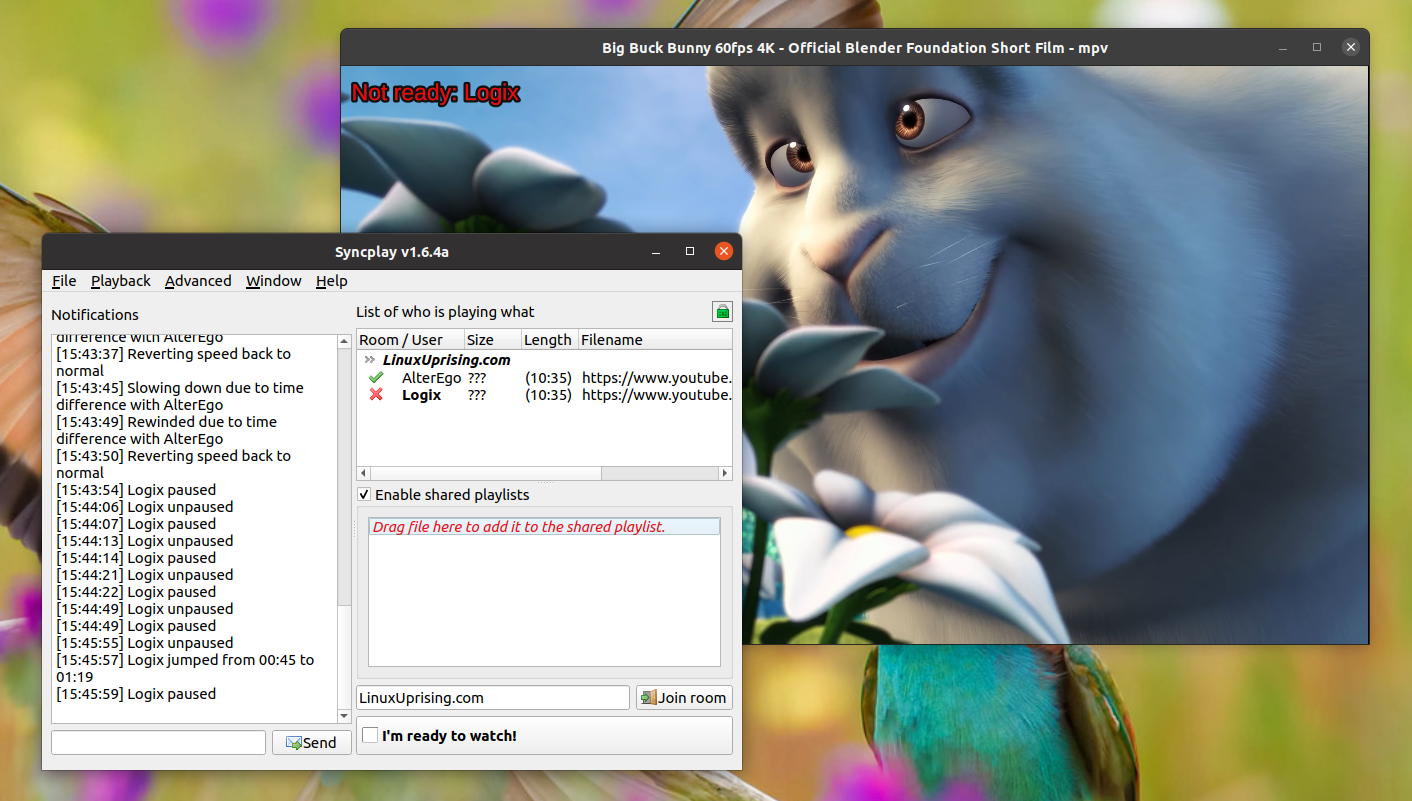
Although Syncplay is intended mainly for syncing locally downloaded media between users, you can also pass a direct URL into it for a somewhat streaming like experience. The use case for this is that screen sharing results in poor audio and video quality, especially for movies (especially if there’s latency). It makes more sense to use a solution like Syncplay that allows everyone to directly play the media.
I upload what we watch to the Nextcloud, then from there, copy the direct URL and paste it into Syncplay. This gives everyone an easy to way to watch the same content without having to mess around with downloading the right file.
Onboarding is not particularly difficult, but getting mpv installed for Windows uses is quite a pain. The VLC integration is decent, but we’ve ran into a lot of issues with synchronization when using that.
SyncTube

Syncplay is great, but doesn’t work well with YouTube videos since it expects direct links. Sometimes it does work if the user has yt-dlp installed but this is far too much of an ask for a normal person to figure out. So the alternative is to host a 2nd platform specifically for watching Youtube content. SyncTube makes use of the official embedded YouTube player which means that for the most part it should continue to be functional down the line. The solution I opted for was SyncTube, but I had to make a few customizations to make it suitable for my use case.
For one, I added an authentication feature that password protects the player to prevent unwanted users from joining. I’ve also implemented an admin onboarding page as well as fixing some of the English translations of the app.
The UI isn’t the most intuitive thing but once you get going on it, it does the job well. Compared to other options like CyTube (which is way overkill to self host) and OpenTogetherTube (which requires Redis and PostgreSQL just to watch some videos), this provides the most lightweight option for a simple task.
I also considered something like neko/Hyperbeam for this, but self-hosting an entire browser/window manager is computationally heavy. On Hyperbeam I ran into issues of being blocked due to the IP coming from a datacenter, the fix for this is a VPN which routes traffic through my laptop, but doing this just completely destroy my bandwidth. It also isn’t exactly great op-sec to sign into a random browser hosted by someone else.
Dropped
Misskey/Sharkey
- The bandwidth and storage required to host something on the Fediverse is insane, and its not something I’d personally consider doing again.
- Joining a larger server has also been better for discoverability and meeting new people.
- For a single person instance, I don’t see too much value considering how heavy it is to run.
Forgejo
- Turns out its surprisingly memory hungry when you set up a bunch of pull mirrors
- It seems a bit overkill for my use case which is basically a personal git server (minimal collaborations)
- Otherwise its actually a pretty nice piece of software, would recommend
Rapid Fire
A few things that are smaller, don’t have as much to say about them.
cgit
- Not too much to say about this. I mainly use this to host personal stuff now since GitHub outages have become more and more frequent.
- Its clear that they can’t handle the traffic, which is totally fair considering that they are a free service.
- Most of the repos on my personal Forgejo are just setup as pull mirrors from GitHub.
- Slapped a nice CSS theme on there and its like I’m back on GitHub (https://git.moekyun.me)
changedetection.io
- Tool for detecting when a website changes
- I use it for detecting when some software has a new GitHub Release or new commits
- There’s also other uses such as finding out when a game has an update
- Downside is that the UI for it is quite garbage, although once you set it up you don’t need to fiddle with it too much
Uptime Kuma
- Nothing much to say, needed a monitoring tool to see the status of things I’m running and this fit the bill
- It also has a bunch of integrations for relaying downtime to other services, like Matrix
ntfy
- I didn’t understand this at first but it has actually ended up being quite useful
- You can combine this with a ton of stuff to get some pretty sweet integrations
- ex. changedetection can push a notification when a site changes
The Lounge
- Turns out a lot of people are still on IRC, particularly in the FOSS space
- One of the biggest annoyances I had was not being able to see message history
- The solution is to run a bouncer, but I found the The Lounge is a more all-in-one solution
- Keeps everything in sync across devices and can also support notifications through PWA
Koillection
I don’t have too much to say about this one either since I only just set it up recently. But this is a super cool and customizable collection manager for basically anything. You do have to do a lot of work to set up scrapers for the metadata if you want the best experience, but I’ve just been using it as a glorified spreadsheet. Its really useful if you want to check if you already own something before buying (while outside or something).